 Nagi.md
Apps
Which one fits you? All share one editing interface; file handling and integration differ.
Try it without installing anything
Web app
- No account required
- Drafts stay in your browser
Write beside your code in VS Code
Editor extension
- Syncs with the source editor
- Rendered Git diffs
Double-click a .md file to open it instantly
Desktop app
- Stays resident and opens fast
- Folders and note links
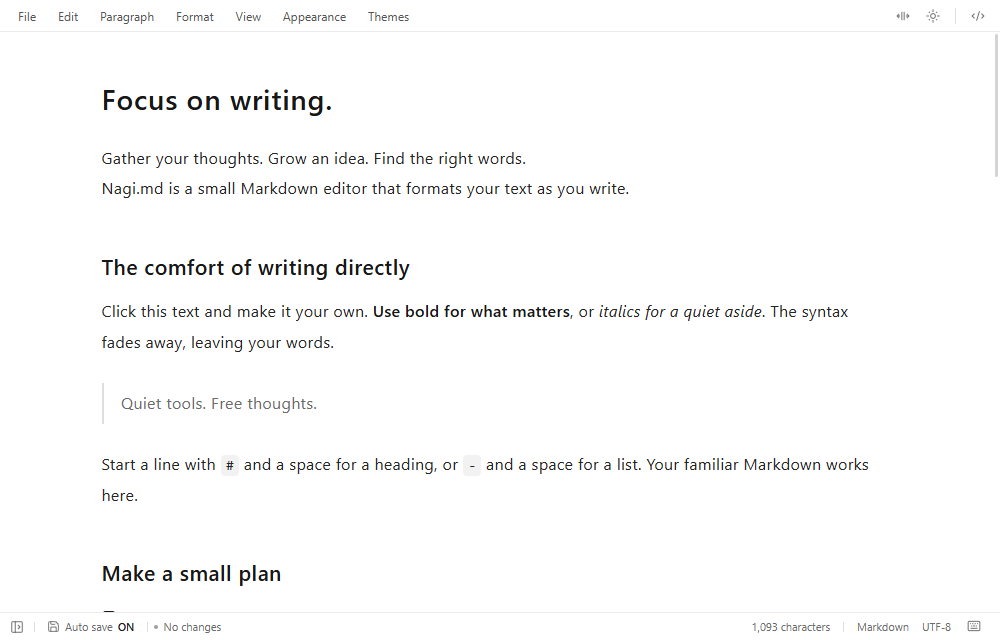
All three use this same editing interface.
Jump to the feature table ↓
Feature differences
Only file handling and integration with other apps differ.
| Web appFree | Editor extensionFree | Desktop appFree | |
|---|---|---|---|
| Same in all three: every editing feature is shared Edit in the previewSwitch to source editingEdit and reorder tablesMermaidPlantUMLSyntax highlightingOutlineFind in documentFocus modeLight / darkCustom CSS and bundled themesTypora and MPE CSS / LESSNote link display and savingMerge external changesStandalone HTML exportWeb and email links | |||
| Files | |||
| Open and overwrite .md files | PartlyIn browsers with file access; others download | Yes | Yes |
| Auto save | PartlyDocuments with a chosen location, in browsers with file access | Yes | Yes |
| Multiple documents | YesSwitch in the document list | YesEditor tabs | YesMultiple windows |
| Browse folders | No | Yes | Yes |
| Save as PDF | PartlyFrom the browser print dialog | YesDirectly via Edge, Chrome, etc. | YesDirectly |
| Keep drafts automatically | YesIn the browser | Not neededSaved to files | Not neededSaved to files |
| Images and links | |||
| Insert images | YesEmbedded in the document | YesReferenced when selected; embedded when dropped | YesReferences the file |
| Show local images by relative path | PartlyEmbedded images only | Yes | Yes |
| Open other notes from note links | No | YesSearches the whole vault | YesSearches the whole vault |
| Open links to local files | No | Yes | Yes |
| Documents in WSL | No | Yes | Yes |
| For documents with many local images or note links, use the extension or desktop app. Browser restrictions keep the web app from reading files next to the document automatically. | |||
| Integration | |||
| Rendered Git diffs | No | YesShown beside source-control diffs | YesIn the Git tab |
| Git commit history | No | Not neededUse VS Code source control | YesRead-only. Requires Git |
| Switch between VS Code and the app | No | Yes“Open in app” | Yes“Open in VS Code” |
| Open .md files by double-clicking | No | No | YesCan be the default app; stays resident to open fast |
| Watch a CSS folder | No | Yes | Yes |
| Apply workspace CSS / LESS automatically | No | Yes | No |
As of October 2026. The desktop app column shows the Windows app.
PlantUML support
It does not require Java or an external rendering server; diagram definitions are rendered on your device. The rendering engine loads the first time you use it. Sequence, class, activity, state, component, use case, object, and deployment diagrams are supported. Preprocessing supports only a standalone !theme <name> line using a bundled theme. Includes, conditionals, loops, macros, other preprocessing, extra libraries, and images or links inside diagrams are unsupported. Definitions are limited to 50,000 UTF-16 code units and 1,000 lines; width and height are each limited to 8,192 pixels. Errors preserve definitions for editing and rendering again.
CSS / LESS support
Document CSS / LESS supports Typora's #write and MPE's .markdown-preview selectors. Local stylesheet imports and relative images or fonts are resolved from each referencing file; assets are embedded in the CSS. Use Import theme folder in the web app to include companion files. VS Code workspace styles and shared theme folders follow dependency changes. Application UI, CodeMirror-specific styles and external URL stylesheet imports are excluded.
About the Mac app
A Mac app is coming soon. We will add it to this table when it is released.